Descript Review: Why It’s the Future of Video and Podcast Editing
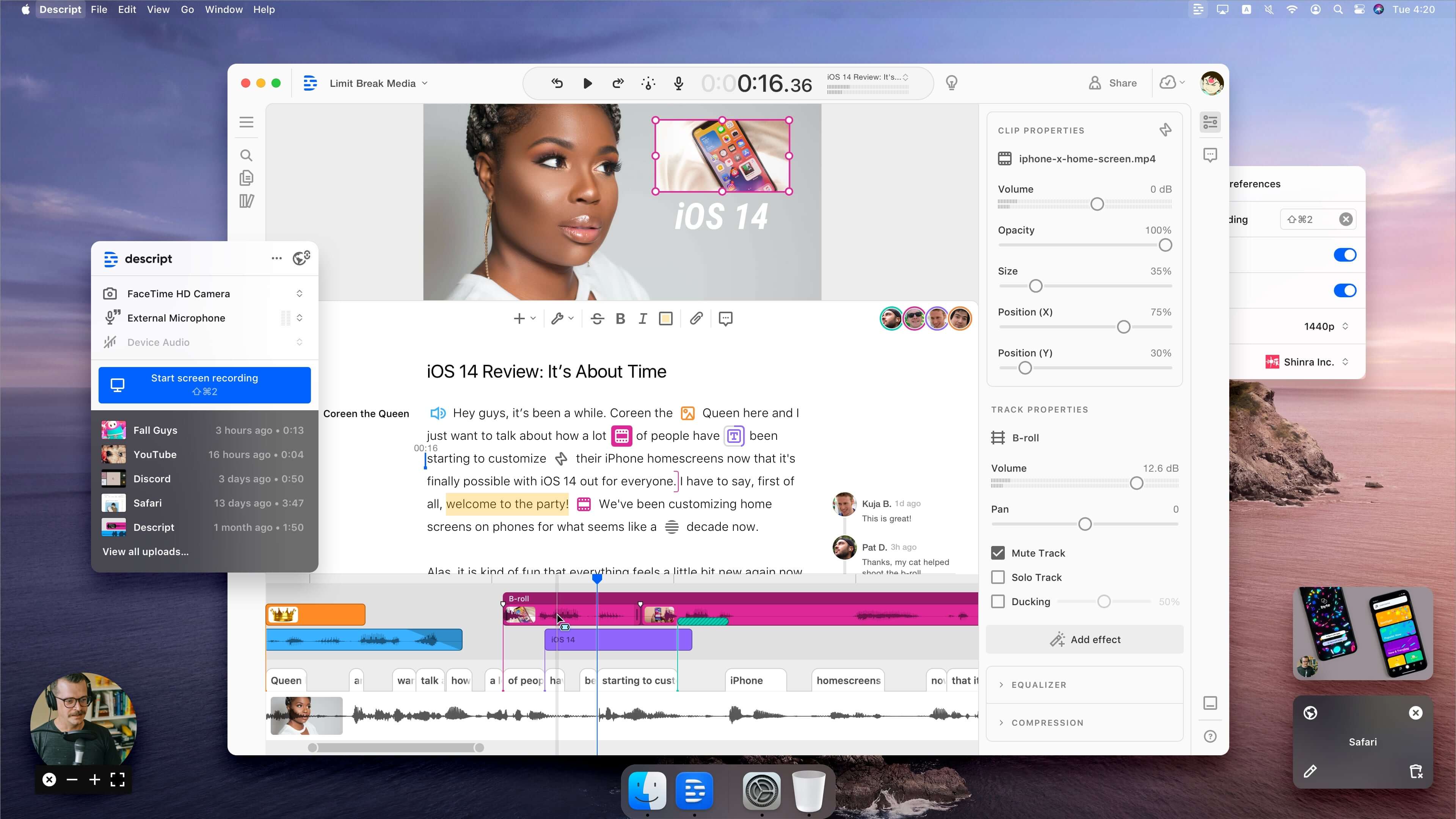
For decades, video and audio editing followed the same rigid paradigm: moving blocks of media along a timeline. It was a technical, time-consuming process that required a specific set of skills. But what if you could edit a video just by editing text? That’s the revolutionary promise of Descript, and in 2026, it has fundamentally changed how content is produced.
Descript isn't just an editor; it’s an AI-powered media factory. By transcribing your audio and video files into text, it allows you to cut, copy, and paste segments of media as easily as you would in a Word document. If you delete a sentence from the transcript, the corresponding audio and video are automatically removed. This "text-based editing" is the cornerstone of Descript, making it an essential tool for podcasters, YouTubers, and corporate marketing teams alike.
Tool Overview: What is Descript?
Descript is an all-in-one editor for audio and video that treats media as data. Its unique approach revolves around automatic transcription. Once your media is uploaded, Descript generates a highly accurate transcript. You then edit your media by interacting with this transcript.
Beyond simple cuts, Descript offers a suite of advanced AI features, including "Overdub" (AI voice cloning), "Studio Sound" (one-click audio enhancement), and "Eye Contact" (AI-driven gaze correction). In 2026, these features have become so polished that they are virtually indistinguishable from professional studio work, all while being accessible to anyone with a computer.
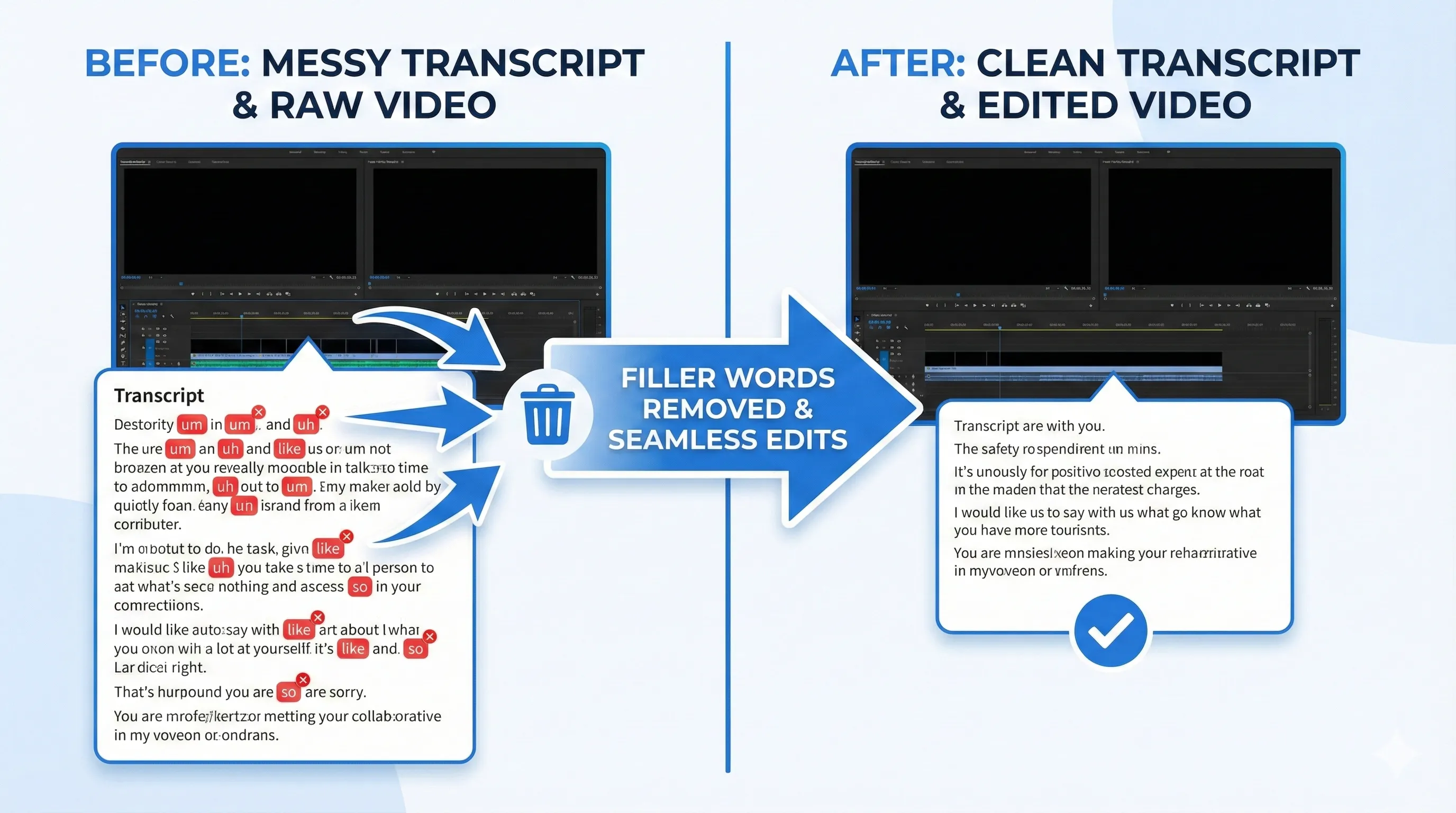
Alt: "Close-up of the Descript transcript editor where deleting text instantly ripples the changes to the video timeline below"
Key Features
- Text-Based Editing: Edit video and audio by simply editing the generated transcript.
- Overdub: Create a digital clone of your voice to "type" new words into your audio recordings.
- Studio Sound: Remove background noise and enhance voice quality with a single click using AI.
- Filler Word Removal: Instantly find and remove all "umms," "ahhs," and "likes" from your recording.
- Social Clips: Quickly highlight sections of your video and export them as vertical clips for TikTok or Instagram.
- Eye Contact AI: Automatically adjust the gaze of your video subjects to look directly at the camera.
Pros and Cons
Pros
- Revolutionary speed for rough cuts and dialogue editing.
- Incredible AI audio cleanup (Studio Sound).
- Intuitive for non-editors who are comfortable with text.
- Excellent collaboration tools for remote teams.
- Regularly updated with cutting-edge AI features.
Cons
- Not suitable for high-end color grading or complex VFX.
- Performance can lag with very large video projects.
- The transition from text-based to timeline-based editing can sometimes be finicky.
Pricing Overview
Descript offers a tiered pricing model that caters to everyone from hobbyists to enterprise teams.
| Plan | Price (Monthly) | Key Features |
|---|---|---|
| Free | $0 | 1 hour of transcription, 720p export, Trial AI features |
| Creator | $15 | 10 hours of transcription, 4K export, Unlimited filler word removal |
| Pro | $30 | 30 hours of transcription, Full Overdub access, Advanced AI effects |
| Enterprise | Custom | Custom transcription limits, SSO, Dedicated success manager |
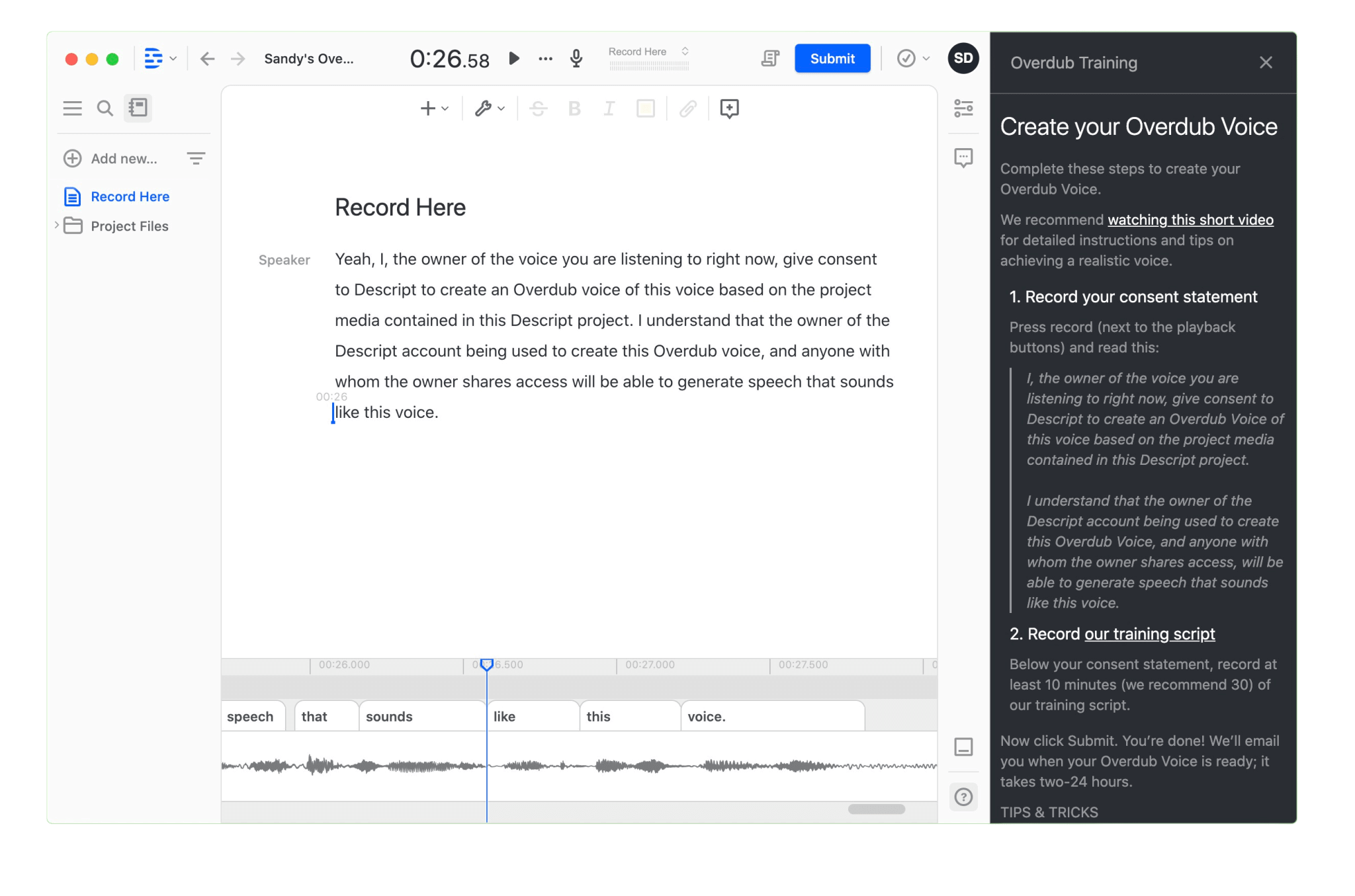
Alt: "Descript Overdub dashboard showing the process of training a personal AI voice model for text-to-speech media generation"
Use Cases
Descript is a multi-purpose tool that fits into various creative workflows:
1. Podcast Production
Podcasters can use Descript to edit their shows by reading through the transcript. The "Studio Sound" feature is a game-changer for those recording in non-professional environments, making a bedroom recording sound like a high-end studio.
2. Educational & Tutorial Videos
For creators making tutorials, Descript’s screen recording and instant transcription make it easy to structure a video and ensure the spoken content is clear and concise.
3. Corporate Communication
Internal teams can quickly create polished video updates or meeting summaries by using Descript to cut out the dead air and add captions with a single click.
Comparison: Descript vs. Adobe Premiere Pro
It’s important to understand that Descript and Premiere Pro serve different needs. Premiere Pro is a professional powerhouse for high-end cinematic production, offering granular control over every frame and pixel. Descript, however, wins on speed and accessibility for narrative-driven content. In 2026, many professional editors use Descript for the "rough cut" phase—quickly structuring the story through text—before exporting to Premiere for final color and effects.
Final Verdict
Descript is arguably the most innovative media tool of the last decade. It has lowered the barrier to entry for high-quality video and audio production by shifting the focus from technical mastery to storytelling. If your work involves a lot of dialogue, interviews, or narration, Descript is not just a luxury—it’s a massive competitive advantage. In 2026, it remains the gold standard for text-based media editing.
FAQ
Is the transcription accurate?
In 2026, Descript’s transcription is exceptionally accurate, reaching over 95% for clear audio. It also supports dozens of languages.
What is "Studio Sound"?
Studio Sound is an AI feature that regenerates the speaker's voice to sound like it was recorded in a professional studio, removing echoes and background noise.
Can I use Descript for free?
Yes, there is a free plan that includes 1 hour of transcription per month and basic editing features.
Does Descript work on Mac and Windows?
Yes, Descript is available as a native application for both Mac and Windows, and there is also a limited web-based version.