SurveyMonkey Review: Still the Best Tool for Customer Insights in 2026?
In an era where data-driven decisions are the only way to survive, understanding your customer is paramount. For over two decades, SurveyMonkey has been the synonymous name for online surveys. But as we move into 2026, the landscape has changed. New, sleek competitors have emerged, and AI has transformed how we collect and analyze feedback. Does the original giant still hold its ground? The answer is a resounding yes, but not for the reasons you might think.
SurveyMonkey (now part of the Momentive portfolio) has evolved from a simple form builder into a sophisticated feedback management system. In 2026, it isn't just about asking questions; it’s about listening at scale and turning raw responses into actionable business intelligence. This review takes a deep look at the modern SurveyMonkey and how it continues to lead the market in customer insights.
Tool Overview: What is SurveyMonkey?
SurveyMonkey is a cloud-based survey platform that allows individuals and organizations to create, distribute, and analyze surveys. It has expanded its offerings to include specialized solutions for market research, employee engagement, and customer experience (CX).
The platform's longevity is its greatest strength. It possesses an unparalleled library of certified question banks and templates, ensuring that users ask the right questions in the right way. In 2026, SurveyMonkey has integrated "MonkeyLearn" AI across its entire suite, providing automated sentiment analysis and key phrase extraction that allows teams to understand the "why" behind the numbers in seconds.
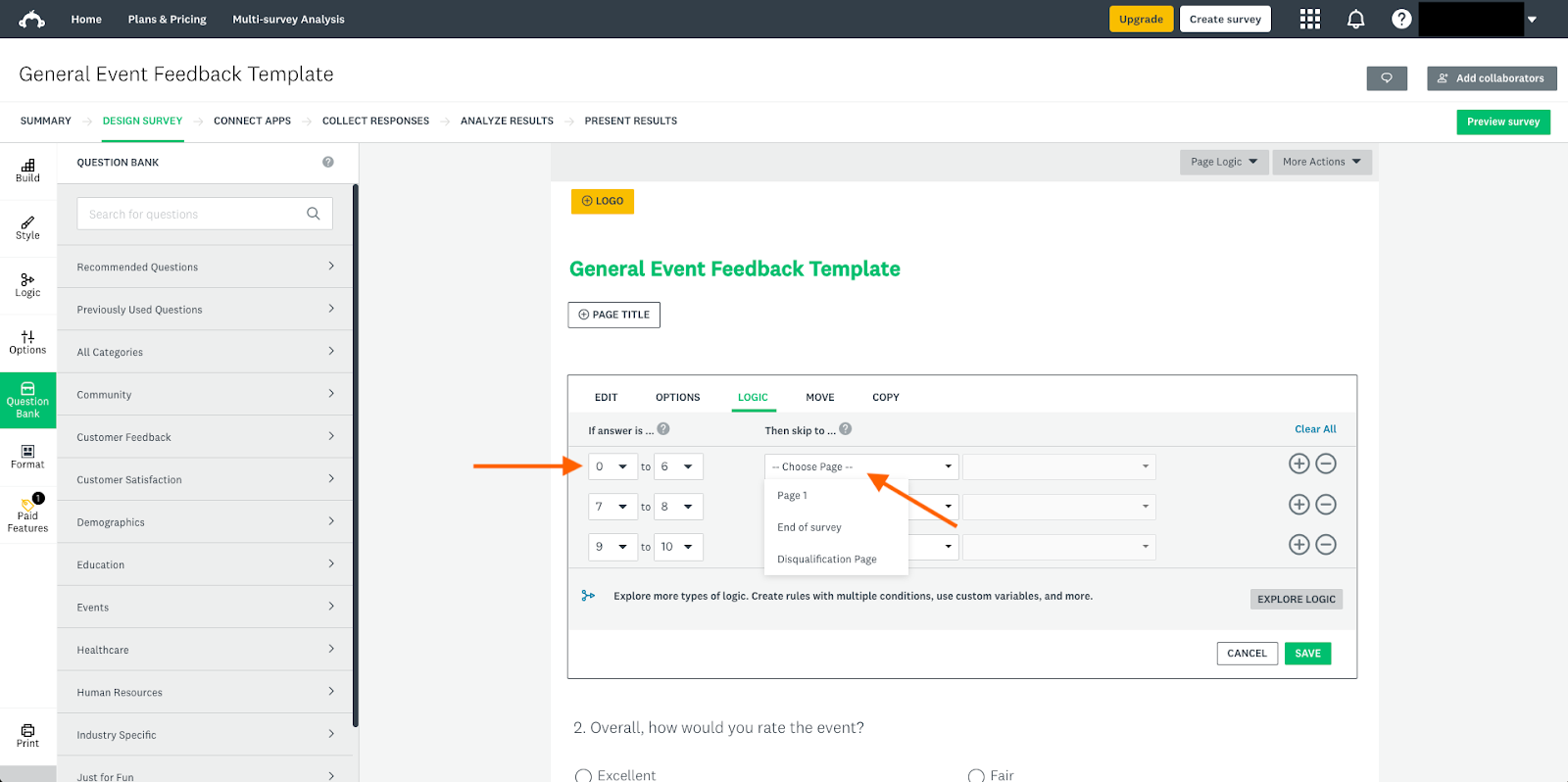
Alt: "SurveyMonkey's intuitive drag-and-drop builder showing advanced logic options and AI-powered question suggestions"
Key Features
- AI-Powered Survey Genius: Automatically score your survey for bias and clarity before you send it out.
- Advanced Skip Logic: Create dynamic paths for respondents based on their previous answers for a personalized experience.
- MonkeyLearn Integration: Use machine learning to categorize open-ended responses and track sentiment over time.
- Global Benchmarks: Compare your results against industry standards to see where your business truly stands.
- Multilingual Support: Send surveys in over 50 languages with automatic translation capabilities.
- Enterprise-Grade Security: SSO, HIPAA, and GDPR compliance ensure that your sensitive data is always protected.
Pros and Cons
Pros
- Unrivaled library of expert-written templates.
- Deep analytical tools that go far beyond simple charts.
- Massive integration ecosystem (Salesforce, Microsoft Teams, etc.).
- Highly reliable and scalable for large-scale research.
- Excellent collaboration features for teams.
Cons
- The pricing can be expensive for small businesses.
- The interface can feel a bit "corporate" compared to newer tools like Typeform.
- Advanced features have a steeper learning curve.
Pricing Overview
SurveyMonkey's pricing is structured to serve everyone from individual researchers to global enterprises.
| Plan | Price (Monthly) | Key Features |
|---|---|---|
| Basic | $0 | Unlimited surveys, 10 questions per survey, 40 responses |
| Advantage | $34 | Unlimited questions, Skip logic, Export results, 24/7 support |
| Standard | $99 | Best for individuals, 1,000 responses/month, Quota control |
| Enterprise | Custom | Full AI suite, Custom branding, Advanced security & compliance |
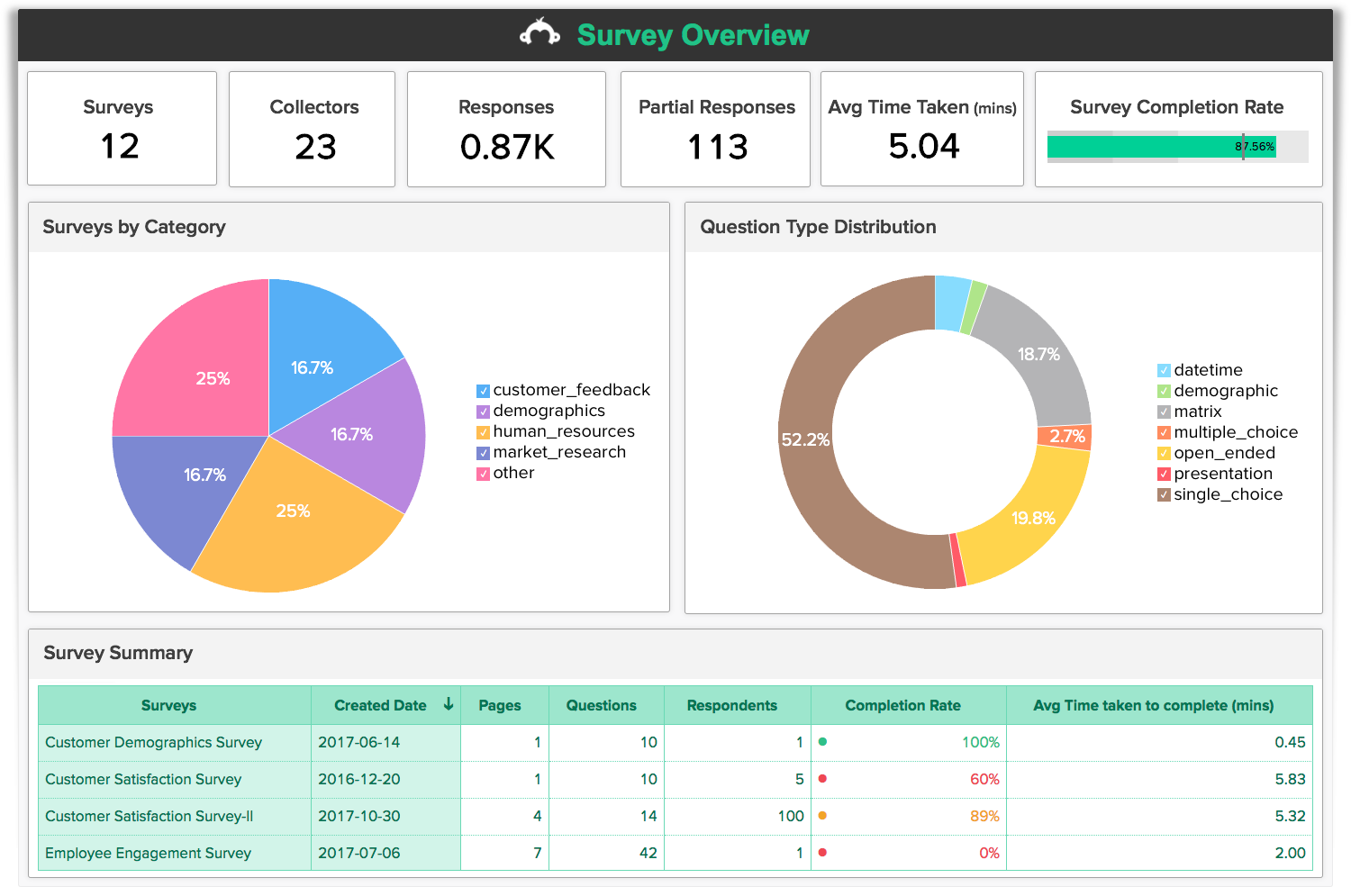
Alt: "SurveyMonkey analysis screen showing cross-tabulation of data, sentiment trends, and automated presentation-ready reports"
Use Cases
SurveyMonkey’s versatility makes it a staple in almost every department:
1. Market Research
Enterprises use SurveyMonkey Audience to access millions of respondents globally. This allows for rapid product validation, brand tracking, and competitive analysis without the need for an external research agency.
2. Employee Engagement
HR teams leverage specialized employee feedback templates to conduct anonymous climate surveys and 360-degree reviews, helping to improve retention and workplace culture.
3. Customer Satisfaction (NPS)
CS teams integrate SurveyMonkey with their CRM to automatically trigger Net Promoter Score (NPS) surveys after a support ticket is closed, allowing them to monitor health in real-time.
Comparison: SurveyMonkey vs. Typeform
In 2026, the choice between SurveyMonkey and Typeform often comes down to "Experience vs. Depth." Typeform is the master of the "one question at a time" interactive experience, which often yields higher completion rates for short, consumer-facing forms. SurveyMonkey, however, is the master of deep data. If you need complex branching, robust cross-tabulation, and industry benchmarks, SurveyMonkey remains the superior choice for serious professional research.
Final Verdict
SurveyMonkey has successfully transitioned from a pioneer to a modern leader. In 2026, it offers the most complete feedback ecosystem on the market. While it may not have the "trendy" aesthetic of some newer startups, its reliability, analytical depth, and AI-powered insights make it the safest and most powerful bet for any organization that takes customer feedback seriously. It isn't just about surveys anymore; it's about intelligence.
FAQ
Can I use SurveyMonkey for free?
Yes, the Basic plan allows you to create surveys for free, though it has limits on the number of questions and responses you can view.
Is SurveyMonkey HIPAA compliant?
Yes, the Enterprise plans offer robust security features including HIPAA and GDPR compliance for sensitive data collection.
What is MonkeyLearn?
MonkeyLearn is SurveyMonkey’s integrated AI engine that provides automated text analysis, sentiment tracking, and response categorization.
Can I brand my surveys?
Yes, paid plans allow you to remove SurveyMonkey branding and add your own logos, colors, and custom URLs.